Clever.com: Easy Guide to Login, Features & Benefits
Managing multiple educational applications can become difficult for students, teachers, and school administrators. Remembering different usernames and passwords for every learning platform also takes valuable time. This is where Clever.com becomes useful.
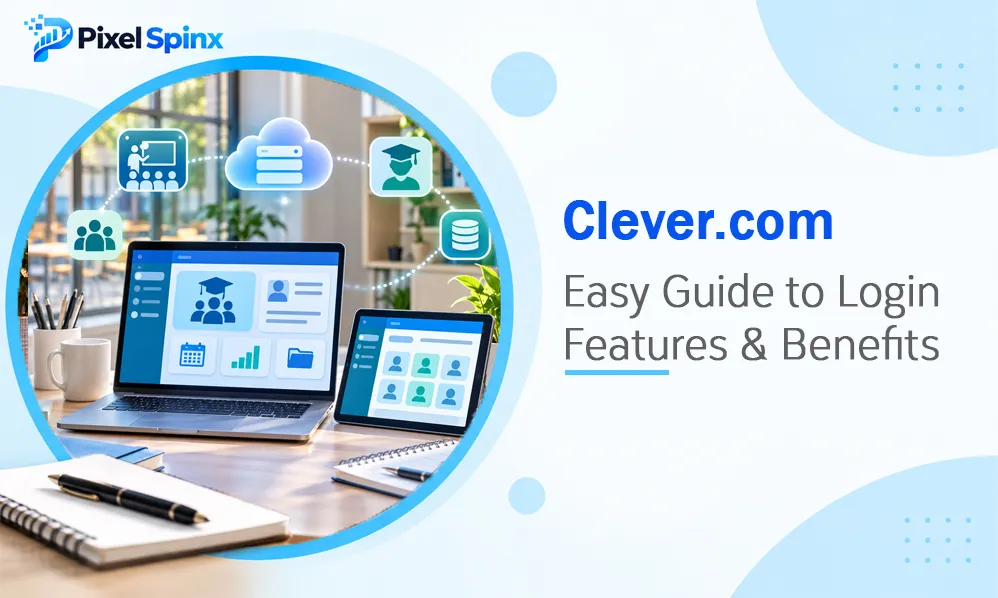
Clever is an educational technology platform that helps schools organize digital learning resources through a centralized login system. Students and teachers can access connected applications using one school account instead of signing in separately to every service.
In this guide, we will explore what Clever.com is, how its login portal works, its main features, and how users can solve common access problems.
What Is Clever.com?
Clever.com is an education technology platform designed to connect schools, students, teachers, and educational applications.
Its main purpose is to simplify access to digital learning tools. Schools can connect their student information systems with Clever, allowing authorized users to access the applications selected by their school or district.
The platform offers several services, including:
- Single sign-on for educational applications
- Student and teacher portals
- Automated classroom rostering
- Clever Badges for easier login
- Account and access management
- Educational technology analytics
Clever is designed primarily for school organizations, although students and families also interact with its services through school-managed accounts.
You can explore the platform through the official Clever website.
How Does the Clever Login Portal Work?
The Clever Portal provides a central place where students and teachers can find their connected educational resources.
Instead of remembering separate login details for every application, users can sign in through their school’s Clever account.
The general login process includes these steps:
- Open the Clever login page.
- Select your school if prompted.
- Choose the login method provided by your school.
- Enter your school-issued username and password, or use another supported login option.
- Complete any additional verification if required.
- Open the educational application you want to use from your portal.
Some schools provide customized Clever login links. If your school has one, using that address can make the login process easier.
For official instructions, visit the Clever Portal support page.
Main Features of Clever.com

Clever offers several tools that support digital learning and school technology management.
Single Sign-On
Single Sign-On (SSO) allows users to access multiple connected applications through one authentication process.
For example, a student may use the Clever Portal to open a reading application, mathematics resource, or classroom platform without entering separate login credentials each time.
Student Portal
Students receive a personalized dashboard containing the applications and resources selected by their school.
This makes it easier to find learning materials and move between educational tools.
Teacher Pages
Teachers can organize digital resources for their classes using customized pages. They can share useful links, applications, and documents with students.
Clever Badges
Clever Badges provide an alternative login method for supported school devices.
Students can scan their assigned badge instead of typing a username and password. This can be particularly helpful for younger learners.
Secure Sync and Rostering
Clever helps schools connect student information systems with educational applications.
This allows authorized student and classroom information to be shared with connected services, reducing manual account creation and administrative work.
Clever.com Features at a Glance
The following table summarizes some of the platform’s main features and their purposes.
| Feature | Main Purpose | Primary Users |
| Clever Portal | Central access to learning applications | Students and teachers |
| Single Sign-On | Access multiple apps with one login | Students and staff |
| Clever Badges | Simplified device login | Students |
| Teacher Pages | Organize and share classroom resources | Teachers |
| Secure Sync | Manage application rosters | School administrators |
| Clever Analytics | Review educational technology usage | School leaders |
These features may vary depending on the school’s setup, connected applications, and selected Clever services.
Benefits of Using Clever.com
Clever can make digital learning more organized by bringing different educational resources into one place.
Saves time: Students do not need to repeatedly enter different usernames and passwords for supported applications.
Improves organization: The personalized portal helps users find their assigned learning resources more easily.
Supports teachers: Teachers can organize classroom materials and share educational applications with students.
Reduces administrative work: Automated rostering helps schools manage connected application accounts.
Simplifies access: Clever Badges and single sign-on provide convenient login options for supported users and devices.
These benefits make the platform useful for schools that depend on several digital learning services.
Is Clever.com Safe for Students?
Student privacy and account security are important considerations when using educational technology.
Clever explains that its platform is designed to help schools manage identities, application access, and educational data. Schools control which resources are made available to their users.
However, students and parents should still follow basic online safety practices.
- Never share school login credentials with other people.
- Use only the official Clever website or school-provided login link.
- Avoid signing in through unfamiliar websites.
- Log out when using a shared or public computer.
- Report suspicious login requests to school staff.
- Contact the school’s technology department if account information appears incorrect.
Parents can also review the Clever family information page to understand how the platform supports students and protects educational information.
Common Clever Login Problems and Solutions
Although Clever is designed to simplify access, users may occasionally experience login difficulties.
Incorrect Username or Password
Check that you are entering the correct school-issued credentials. If the password does not work, contact your school’s IT administrator or follow the school’s password recovery process.
School Not Appearing
If you cannot find your school, make sure you are using the correct school name or district. Your school may also provide a customized login link.
Applications Not Showing
The applications displayed in Clever depend on the resources assigned by your school. If an expected application is missing, contact your teacher or school administrator.
Login Page Not Loading
Try refreshing the page, checking your internet connection, or opening Clever in an updated browser.
Account Information Is Incorrect
If your name, classroom, or other account information is incorrect, contact your school’s technology support team. Some information is synchronized from the school’s student information system.
Who Can Use Clever.com?
Clever is designed for different members of the school community.
Students: Students can access educational applications, assignments, and learning resources selected by their school.
Teachers: Teachers can organize digital classroom resources and help students access connected applications.
School administrators: Administrators can manage accounts, application access, and school technology integrations.
Parents and families: Families can learn how Clever supports their children’s digital education and find help with common access questions.
Access depends on whether the school or educational organization has configured Clever for its users.
Clever.com and the Future of Digital Learning
Digital learning continues to involve more applications, online resources, and classroom technology. Managing all these tools separately can create unnecessary challenges for schools.
Platforms such as Clever help simplify this process by connecting educational resources through centralized identity management and single sign-on.
As schools continue adopting digital learning systems, organized access and responsible data management will remain important.
For readers interested in other online platforms and digital services, our article on what happened to PolyBuzz explores another platform and its availability.
Conclusion
Clever.com provides a centralized way for schools to manage digital learning resources and help students and teachers access connected applications. Its features, including single sign-on, personalized portals, Clever Badges, and automated rostering, can make educational technology easier to manage.
Whether you are a student trying to open a learning application or a teacher organizing classroom resources, understanding how Clever works can make everyday digital learning more convenient. Always use your school’s official login instructions and contact its support team when account problems occur.
Frequently Asked Questions
1. What is Clever.com used for?
Clever.com is an educational technology platform that helps students, teachers, and school staff access connected learning applications through a centralized portal.
2. Is Clever.com free for students?
Students generally access Clever through their school or district account. Clever’s core digital learning platform is provided to schools at no cost, although additional services may have separate pricing.
3. How do I log in to Clever?
Visit the Clever login page, select your school if necessary, and use the login method provided by your educational organization.
4. Can parents use Clever?
Parents can access Clever’s family information and support resources. Direct student portal access depends on the school’s setup and available features.
5. Why can’t I see my applications in Clever?
Your school controls which applications appear in your portal. If an application is missing, contact your teacher or school technology administrator.